
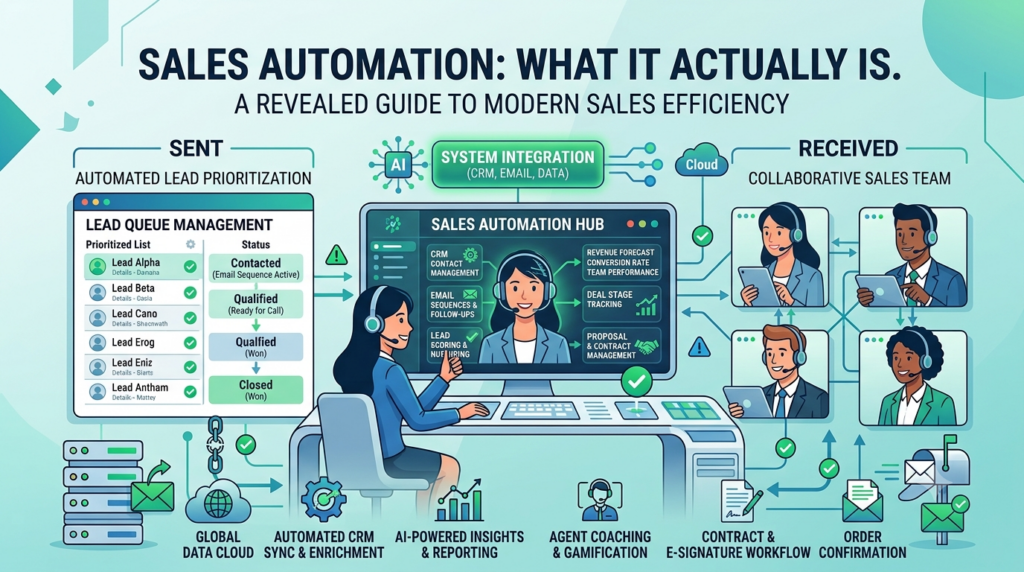
Sales automation: what it actually means is using software to handle repetitive sales tasks so your team can spend more time building relationships and closing deals.
Sales automation is the process of using software to manage the repetitive parts of sales. It focuses on tasks that don’t require human judgment, allowing sales representatives to work more efficiently and consistently.
What can you automate?
The list is shorter than many people expect, but the time savings are significant. Sales automation can streamline prospect research, lead verification, email sequencing, multi-channel outreach, reply classification, meeting scheduling, and CRM updates.
When implemented correctly, Sales automation: what it actually delivers is a more productive sales team. Instead of spending hours on data entry, follow-up reminders, and outreach administration, reps can focus on meaningful conversations with qualified prospects.
Done well, sales automation can return 12 to 18 hours per representative each week without replacing the human skills that actually close deals. Understanding Sales automation: what it actually involves helps businesses automate routine work while keeping relationship-building and decision-making in the hands of their sales team.
The two halves of sales automation nobody separates
Talking about sales automation, we often do the mistake of thinking it as one category. In practice, it’s two, and the tools, KPIs, and failure modes are different enough that conflating them costs teams real money.
Pipeline-side automation handles what happens within the CRM after a lead comes in. Deal stage transitions, forecasting accuracy, opportunity routing, CRM hygiene, and pipeline reporting all live here.
This is the Salesforce, HubSpot, and Pipedrive world. The KPIs are pipeline velocity, win rate, and forecast accuracy.
The buyer is usually RevOps or a sales leader, and the category has existed long enough that the time-savings argument is well-rehearsed.
Outbound-side automation handles what happens before the lead becomes a lead. Prospect research, list building, sequence execution across email, LinkedIn, and phone, deliverability monitoring, reply classification, and calendar handoffs all live here.
This is where Apollo, Outreach, Salesloft, and Smartlead comes in. The KPIs here are the meetings booked, pipeline created, and reply rate per channel.
The buyer is usually an SDR manager or head of growth, and the category is newer, less rehearsed, and where most teams still have unused headroom.
Most teams over-invest in pipeline-side and under-invest in outbound-side. Pipeline-side gets the budget because every CRM tool markets itself as automation, and the outbound-side gets ignored because the work is unglamorous, including sender warm-up, account rotation, and deliverability hygiene that nobody enjoys learning.
This article focuses on outbound-side automation because the time-savings math is clearer there, and most teams have more headroom.
What are the 7 sales tasks worth automating, and the 3 that aren’t?
Not every part of selling should be automated. The decision of what to automate and what to leave manual is the difference between a team that uses automation as a force multiplier and a team that erodes its own conversion rate by automating too aggressively.
Here’s the working list of what you can hand over to the software.
List verification
Email verification keeps bounce rates under control and protects sender reputation. For us, Smartlead’s built-in verifier handles this inside the platform, but standalone tools like NeverBounce or Bouncer work if you’re stitching tools together.
Email and LinkedIn sequencing
Sequence execution across both channels is the highest-leverage automation on this list. Once a sequence is built, automating its execution typically returns 4 to 6 hours per rep per week.
Calendar booking
We use Calendly, but you can try SavvyCal, or any modern scheduler. Letting prospects pick their own time saves the 4 to 6 emails it usually takes to find a working slot.
CRM sync
Logging sequence activity, reply outcomes, and meeting bookings back to the CRM should be automatic. Manual logging is where SDRs lose the most time without realizing it, because the work happens in small slices throughout the day rather than as a single block.
And then the three things that should stay manual:
First-touch personalization research
The two or three sentences of prospect-specific context at the top of a cold email matter more than any other element of the message. Automated personalization, which usually means looking up a recent press release or LinkedIn post and generating a sentence about it, is detectable by the prospect who has seen the same pattern from 50 other senders.
Discovery call conversations
Obvious in principle, but worth saying explicitly because some tools market AI-driven discovery as a feature. The discovery call is where the deal is actually shaped, and the value of the conversation is in the back-and-forth that no model handles well today.
Deal-closing nudges
The last touch before a yes or no is the most sensitive timing call in the whole sequence. Getting the tone wrong tanks the deal, and reading tone correctly requires a human inside the conversation, not a tool watching from outside.
What does the actual time math look like?
I did my research while writing this, and most articles I found on sales automation talk about benefits in abstract terms like efficiency, productivity, and scale. But I’ll be trying something differently.
Let’s make the math more useful by making it specific.
A typical SDR spends roughly 50% of a 40-hour week on activities that could be automated. The breakdown that holds up across most benchmark studies (Salesloft’s State of Sales, Salesforce’s State of Sales reports) is roughly:
- Email follow-up administration and scheduling: about 21% of the week
- Manual data entry and CRM updates: about 17%
- Prospect research and list building: about 12%
Combining 20 hours per rep per week, or half the work week.
Post-automation, what I’ve seen among Smartlead users those three categories typically drop to 5 to 8 hours combined.
The math returns 12 to 15 hours per rep per week, and at a $35/hr loaded SDR cost, you save $1,800 to $2,300 per rep per month.
For a 10-rep team, the returned time is worth roughly $220K to $270K annualized.
What’s interesting is that 12 to 15 returned hours per week are enough to roughly double the prospecting volume each rep can handle, which directly lifts the pipeline.
One caveat. Any of this math only holds when the automation is configured well.
Sequences that send to bad data damage the sender’s reputation, which costs more in deliverability than the time saved on prospecting. The 4-week rollout below is designed to avoid that failure mode.
What rollout sequence doesn’t backfire?
Picking what to automate is half the work. The other half is execution without breaking what’s already working.
From my experience, what I’ve seen among b2b sales teams, most failures happen because teams try to automate three things at once.
Each new automation creates a new failure mode (bad sequences, broken handoffs, deliverability dips), and stacking them simultaneously makes diagnosis impossible.
The cleaner pattern is one task at a time, four weeks per cycle.
Week 1: Audit. Time-track every SDR on the team for five business days. The output should be a list of recurring tasks with rough hours per week per rep.
The audit usually surfaces two or three obvious automation candidates, often different from what leadership had assumed.
Week 2: Pick one and pilot. Choose the highest-hour task with the lowest personalization requirement, usually either email sequencing or reply classification. Configure the tool and run a one-week pilot on 20% of leads.
Keep the other 80% on the manual workflow as a control group so you can actually compare results.
Week 3: Measure. Compare the pilot group against the control on three things: time saved per rep, reply rate, and any deliverability impact, like spam complaints or bounce rate. If the reply rate holds and deliverability is stable, the pilot worked.
Week 4: Scale or roll back. If the pilot earned the time savings without hurting downstream metrics, scale to 100% of leads. If the reply rate dropped or deliverability moved against you, roll back, identify what broke, and re-pilot before scaling.
Then return to the audit list and start the cycle again on the next task.
This is intentionally slower than most rollout playbooks. A failed automation is more expensive than a delayed one, especially when the sender’s reputation gets damaged along the way and takes weeks to repair.
What sales automation tools to use, by category?
Most sales automation tool comparisons rank software side by side, assuming one tool will cover the whole stack. In practice, most teams use two or three tools across categories.
But in the real world, this is how the category breaks down.
Prospecting and data tools
Apollo, ZoomInfo, Clay, and Lusha are the main options for building ICP-filtered lists. Apollo has the broadest contact database, Clay is more flexible because it lets you build custom enrichment workflows on top of the data, and ZoomInfo has the deepest enterprise coverage but usually costs more than non-Fortune-500 teams justify.