
-
-
-
-
- Sales automation means using software to offload repetitive tasks (think data entry, follow-ups, lead scoring) so your team can focus on selling. It’s like giving your sales process an autopilot mode.
-
-
-
- Why automate? Modern sales teams automate to save time, reduce human error, and boost productivity. As per Zendesk, two-thirds of sales teams saw ROI within 6 months of adopting sales automation, and many report double-digit revenue growth.
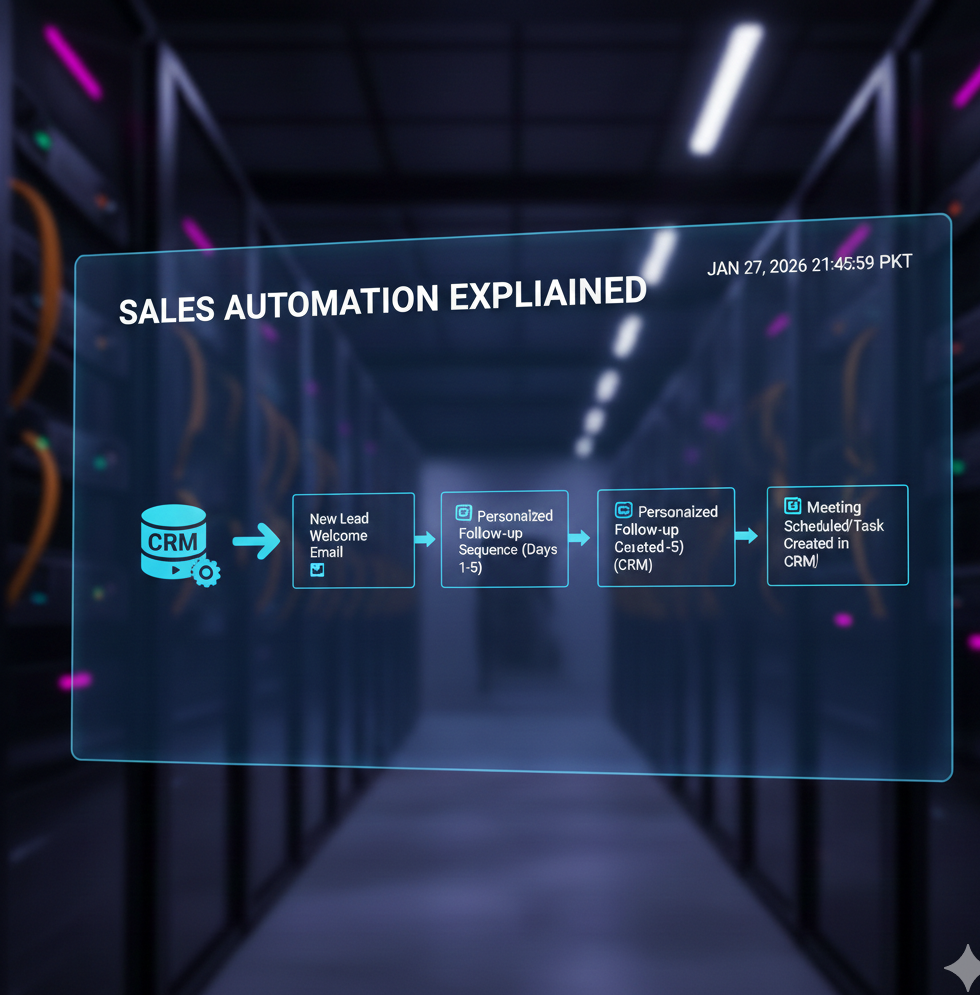
- How it works: Sales automation tools integrate with your CRM and other apps to create automated workflows. For example, when a new lead comes in, the system can automatically send a welcome email, assign a rep, update your pipeline, and schedule a follow-up.
- Getting started: Map out your sales funnel and biggest time-drains, then tackle the six key steps below (audit, pick tools, set up sequences, integrate, optimize).
- Ttrends: AI is the game-changer this year. Tools now use AI for predictive lead scoring, personalized outreach, and chatbots that qualify leads. According to McKinsey, teams using AI in sales see 10–20% higher ROI. Don’t get left behind.
What Exactly is Sales Automation?
Sales automation is the process of using technology to handle the routine, day-to-day tasks in a sales process that would otherwise eat up countless hours.
In plain terms, it’s about letting software take care of the busywork (data entry, scheduling, sending outreach emails (like via a cold email automation tool), etc.) so you and your team can spend more time closing deals and building relationships.
Think of traditional sales process automation as having two main parts:
- Data capture & management: Automatically logging customer info and interactions. For example, adding new contacts from a web form straight into your CRM, or syncing emails and call notes without manual copy-paste.
- Workflow triggers: Setting up if-this-then-that rules in your pipeline. For instance, when a prospect moves to a new stage, an automation might create a task for the rep or send a pre-written follow-up email. No more “Oops, I forgot to follow up with that lead” moments.
Why Sales Automation Is the Backbone of Modern Teams
If you’re still doing everything manually, you’re competing with one hand tied behind your back. Here’s why sales automation has become a no-brainer for agencies and SaaS startup sales teams:
- Time savings = More selling: Studies from Zendesk show that reps spend only about 35 percent of their day actually selling, while the rest goes to admin tasks. Sales automation gives those hours back. Less data entry and CRM updating means reps can focus on calls, demos and closing deals. Beyond funnel management, adopting intelligent productivity companions to handle personal admin tasks ensures that the time saved is actually spent on high-value closing activities.
- Consistency and follow-through: Humans forget; machines don’t. Sales automation ensures every lead gets the right touch at the right time. No more prospects slipping through cracks or follow-ups getting skipped; an automated sequence handles those touches for you.
- Higher productivity, fewer errors: Mundane jobs like updating spreadsheets or sending routine emails are prone to mistakes when done manually. Leveraging sales automation reduces typos and errors: auto-dialers make sure no number is misdialed, and automated personalization pulls the correct name and details every time.
- Better customer experience: Today’s buyers expect speedy, personalized responses, often within minutes. Without sales automation, that’s nearly impossible. Automated alerts and responses, such as an immediate “Got your request!” email or a chatbot greeting, help you meet those expectations and look on the ball.
- Scale and growth: As your agency or startup expands, manual processes that worked with 50 leads collapse. Sales automation lets you scale outreach, lead nurturing and onboarding without ballooning headcount. It’s your force multiplier: do more with the same team.
How Sales Automation Works Under The Hood
Let’s pop the hood on a typical sales automation setup. How do all these moving parts actually work together? It usually comes down to integration and triggers:
- Central CRM as the “brain”: Most sales automation is built around your CRM (think HubSpot, Salesforce, etc.). The CRM acts as the central hub where data lives. Modern tools like Smartlead integrate with your CRM so everything syncs – new leads, contact info, deal stages, etc. If your CRM and sales automation tool are talking to each other, you’ve won half the battle (check out our guide on CRM integration to see what to look for).
- Triggers and workflows: Automation works on an “if X happens, then do Y” logic. X could be a prospect action (like filling a form or clicking a link) or a sales rep action (moving a deal to a new stage). The system listens for these triggers. When conditions are met, it executes pre-defined actions. For example, if a new lead fills out your pricing request form, then automatically send a personalized welcome email, create a new deal in the pipeline, and assign a task to a salesperson to call them.
- The tech integrations: APIs and webhooks are the unsung heroes here. They allow different software (your CRM, email platform, dialer, calendar, etc.) to share data in real time. For example, when a meeting is booked or an email campaign gets replies, integrations ensure that info instantly reflects in your CRM and triggers follow-up actions automatically.
In short, sales automation works by having all your tools talk to each otherand execute predefined actions without manual input. Think of it as setting up a series of dominoes: once you push the first one (e.g. a lead takes an action), the rest fall in a predetermined pattern. It takes some setup initially, but once running, it’s a smooth engine that handles the grunt work while you oversee the results.
Six-step Sales Automation Roadmap to Streamline Your Funnel
Ready to put things on autopilot? Here’s a step-by-step game plan to automate your sales funnel, from first touch to closed deal:
Step 1: Audit your current process and identify bottlenecks
You can’t fix what you don’t understand. Start by mapping out your current sales process from lead generation to closing:
- List all the tasks and touchpoints: e.g., generating leads (cold outreach, inbound form fills, referrals), follow-ups after a demo, sending proposals, contract signing, post-sale handoff, etc. Break down every repeatable task your team does.
- Identify time-drains and pain points: Talk to your sales reps. Where do they feel they’re losing the most time? Common culprits include manual data entry (updating CRM records), sending the same follow-up email over and over, and prospect research.
- This audit helps pinpoint where sales automation will make the biggest difference. For instance, if reps frequently skip second or third follow-ups, that’s a sign to set up automated reminders or drip sequences.
Jot down these areas of improvement, they will later become the blueprint for what to automate. Remember,
Automation applied to an inefficient process will just amplify the inefficiency
So get clarity first.
Step 2: Define your sales funnel stages and KPIs
Before jumping into tools, clearly define the stages of your sales funnel (pipeline). Typical stages might be: Prospecting > Qualified Lead > Demo/Meeting > Proposal > Negotiation > Closed Won/Lost. Why is this important for automation?
- Many automation triggers and rules will be based on stage changes (e.g., when a lead becomes “Qualified,” start X follow-up sequence).
- Knowing your stages helps you set up relevant automated actions at each step. For example, when a deal moves to “Proposal Sent,” you might automatically queue up a follow-up email to check in 2 days later.
- Assign ownership and KPIs for each stage. For instance, “Qualified Lead” might be owned by an SDR with a goal to schedule a demo within 5 days. Automation can support those KPIs (like an automated task reminder on Day 3 if no demo is scheduled yet).
Also decide on key metrics you’ll track (conversion rates between stages, average time in stage, etc.). A lot of sales automation platforms will track these for you once things are set up. Having this structure ensures your automation isn’t random – it’s aligned to the journey you want prospects to take.
Step 3: Choose the right tools for the job
Now to the fun part – tools! The arena is filled with a ton of sales automation tools. You will need to be strategic in picking your stack:
- Build on what you have (if possible): If you’re already using a CRM like HubSpot or Salesforce, explore the automation features it offers. Most modern CRMs have built-in workflow automation, email sequencing, and integrations. Using native features can simplify things. Just watch out for limits – basic plans might cap how many automated emails you can send per day.
- Identify categories of tools you need: Sales automation often involves a mix of tools (CRM, email outreach platform, data enrichment, dialer, etc.). The next section “Toolscape” breaks down the landscape, but in short, choose tools that cover your needs without excessive overlap.
- Consider integration ease: Ensure whatever tools you choose play nicely together. Look for native integrations or use middleware like Zapier/Make if needed.
Smartlead tip: If outbound email is a core part of your sales strategy (agencies, this one’s for you), consider using a platform like Smartlead. It’s built for scale with features like multi-mailbox sending to increase volume, automated warm-up for better deliverability, and built-in team collaboration. Perfect for powering your sales automation efforts without burning your domain.
Make a shortlist of tools and pilot them if you can. Many offer free trials. The right tools will set the foundation for all your sales automation.
Step 4: Automate Your Outreach and Follow-Ups with Sales Automation Tools
With your tools set up, it’s time to build the actual automation workflows that move leads through your funnel.
- Automate sequences and tasks: Create a set of emails for different scenarios like cold outreach, post-demo follow-ups, re-engagement, and more. Schedule them inside your sales automation platform. Set up automatic task reminders too, like calling a lead one day after they click a link. Use branching logic to keep it smart. If they reply, stop the sequence. If not, move them to the next step.
- Use multiple channels (but protect your deliverability): Sales automation isn’t limited to email. Add LinkedIn messages, SMS, or call tasks into your outreach strategy. Just make sure you don’t overdo it. Throttle your sends, use warm-up features, and follow deliverability best practices to keep your sender reputation clean.
Before going live, test everything. Add yourself or a teammate to the sequence and check timing, personalization, and flow. Fixing a broken workflow after 1,000 leads have been enrolled is way messier than catching it now.
Step 5: Integrate Sales Automation with Your CRM and Other Systems
Integration is crucial. If your sales automation tools operate in isolation, you’ll end up with messy data and team confusion. Here’s what to lock in:
- Two-way sync with CRM: Every email sent, call made, or meeting booked through automation should be logged in your CRM. Most major tools offer native integrations. For example, Smartlead can push engagement data and lead status updates directly into CRMs like HubSpot, Pipedrive, or Salesforce. If your tools don’t sync out of the box, use Zapier or custom APIs to bridge the gap. The goal is simple: reps should be able to see all automated touchpoints directly inside the CRM.
- Centralize communication: Use a unified inbox or dashboard (Smartlead includes a master inbox) to track replies from all your outreach channels. This prevents that classic “Where did that reply go?” issue when you’re working with multiple email accounts.
- Calendar and dialer integration: Make sure meetings flow directly into your calendar and CRM. If you’re using a power dialer, log call outcomes automatically. You want one source of truth for all sales activity, and that’s usually your CRM.
When everything is properly connected, your sales automation workflowbecomes seamless. The hand-offs between tools and people are smoother, and your team runs on one coordinated system.
Step 6: Monitor, Measure, and Optimize Your Sales Automation
Once your automations are live, the job isn’t done. The mindset here is “set it, but don’t forget it.”
- Track performance metrics: Keep an eye on open and reply rates, conversion rates between funnel stages, and overall sales cycle time. If your automated emails aren’t being opened, test different subject lines or send times. If deals are stalling at the proposal stage, your follow-up automation may need fine-tuning—or a human touch.
- A/B test and experiment: Most sales automation tools support split testing. Try different versions of your outreach emails or compare a short 3-step sequence with a longer 5-step one. Let the results guide your next move.
- Get team feedback: Your reps live with these systems every day. Ask them how well the automated tasks are working. Are they helpful, or just adding noise? Adjust your workflows to actually support the team. When automation helps reps close more deals, they’ll be your biggest advocates.
- Scale what works: Once you’ve refined a few sequences, scale up. Feed more leads into your top-performing workflows. Expand automation into other areas too—like post-sale handoffs, onboarding, renewals, and reactivation campaigns. Sales automation isn’t just for prospecting. It can support the entire customer lifecycle.
Toolscape: Comparing Sales Automation Software
The sales automation “Toolscape” in is rich – there’s a tool for every aspect of the sales process.
Cost is a bifurcating factor – some enterprise tools charge per user per month (plus add-ons), which can get steep. Others (like Smartlead) use flat pricing that can be more predictable for scaling.
Here’s a quick lay of the land and how to choose:
Take advantage of free trials or freemium tiers. Nothing beats actually using a tool with your data. And pay attention to deliverability features if you’re doing cold outreach – high volume email automation is not just about sending, but landing in the inbox. Features like automated warm-ups, email rotation, and domain health monitoring are clutch for keeping your campaigns out of spam.
AI and Predictive Analytics: The Leap
Sales automationhas a secret sauce: artificial intelligence. AI isn’t coming for sales jobs, but it’s definitely changing how those jobs are done. Here’s how AI and predictive analytics are elevating sales automation this year:
Predictive Lead Scoring
AI now crunches historical data to predict which leads are most likely to convert, far more accurately than old rule-based scoring.
Imagine your system automatically prioritizing leads based on hundreds of signals – past interactions, firmographics, email engagement, etc.
Reps then focus on the hottest leads first, boosting efficiency.
Personalized Content at Scale
Writing personalized emails can take forever. AI writing assistants (GPT-4 and beyond) are being used to draft tailored messages in a fraction of the time.
Provide a few key details and get a first-draft outreach email that feels custom-written for that prospect.
This helps you maintain personalization even when automating outreach.
Conversational AI and Chatbots
We’re seeing more AI-driven chatbots qualifying leads on websites or via email. These bots can:
- Handle the initial conversation
- Answer common questions
- Gather information
- Even schedule meetings
By the time a human steps in, the basic qualification is done.
Sales Forecasts and Coaching
AI is also helping managers. Tools analyze pipelines and reps’ activities to:
- Forecast sales more reliably (“Based on current pipeline and past patterns, we’re pacing 10% above target this quarter”)
- Spot at-risk deals (e.g., a deal with no contact in 14 days)
- Ping reps with reminders
- Even deliver coaching tips based on call and email analysis
What This Means for You
The result of this AI infusion? Efficiency and effectiveness go through the roof.
As per McKinsey, companies investing in AI are seeing a revenue uplift of 3–15% and a sales ROI uplift of 10–20%.
Those aren’t small bumps – they’re game-changing leaps.
For agencies and startups, leveraging AI in sales automation can be a great equalizer. You don’t need a massive team if your AI-assisted automation is punching above its weight.
Keep an eye on this space – features like predictive lead scoring, GPT-powered email writing, and intelligent deal alerts are becoming standard in many tools.
If you’re using Smartlead, you’ve probably noticed how our AI handles warm-ups and sending schedules automatically. And this is just the beginning. Expect even smarter features as AI continues to evolve the way sales works.
Multi-Domain & Multi-Inbox Rotation
Smartlead let them handle multiple clients, domains, and inboxes from one dashboard.
Campaign sending could be automatically rotated across many email accounts – keeping ISP suspicions low and deliverability high.
Automated Warm-Ups
Every new domain or inbox Letstrike added was automatically put through Smartlead’s warm-up process.
This meant their sender reputation stayed strong across the board – with no manual effort.
Results were shocking!
Letstrike saw their email response rates climb.
In one instance, they achieved a 16% reply rate on a campaign for a client in a tough niche – an almost unheard-of number.
With Smartlead handling the heavy lifting, the agency’s lean team managed exponentially more outreach without burning out or worrying about technical snafus.
One co-founder described Smartlead as an “extra team member” that works 24/7.
The takeaway: With the right automation, even a small team can achieve outsized results.
(Want more inspiration? Browse our Customer Success hub for stories of how other businesses turbocharged their outreach with automation.)
Common Pitfalls and How to Dodge Them
While sales automation can feel like a superpower, it’s not without its challenges. Here are some common pitfalls teams encounter – and tips to avoid them:
1. Over-Automation (Losing the Human Touch)
Just because you can automate everything doesn’t mean you should. If all your outreach feels robotic, prospects will tune out.
Avoid it:
Use personalization tokens and dynamic fields thoughtfully. Schedule genuine human touchpoints at key moments.
For example, automate the first 2–3 follow-up emails, but if there’s still no response, have a rep send a personal note or make a call.
Keep an eye on replies – when a lead engages, be ready to step in and have a real conversation.
2. Poor Data Hygiene Feeding the Machine
Automating a messy database can amplify problems.
(Ever gotten an email starting with “Hi {First Name}” because the data was blank? Yikes.)
Avoid it:
Before flipping the switch, clean up your CRM. Standardize formats, remove duplicates, and fill in key missing info.
Then use automation to keep it clean – auto-format phone numbers or auto-enrich new leads with missing company data.
Regularly audit your workflows to ensure they aren’t acting on bad or outdated info.
3. Spamming and Deliverability Issues
It’s a fine line – using sales automation too aggressively can potentially result in spamming prospects or triggering email filters.
Sending five follow-ups to an uninterested lead won’t win you a deal, but it might win you a spam flag.
Avoid it:
Follow email best practices (our deliverability guide above is your friend).
Use throttling features – send at natural intervals, limit daily send volumes per account, etc.
Give prospects an “out” – include an easy unsubscribe or opt-out in your sequences.
Monitor your sender reputation – if open rates tank or bounce rates spike, tap the brakes and troubleshoot.
4. “Set It and Forget It” Syndrome
Assuming your initial setup will work forever is dangerous. Markets change, and so will the effectiveness of your messaging.
Avoid it:
Schedule periodic reviews of your sequences and rules.
What worked six months ago might need a refresh now.
Maybe prospects are responding better to a new offer or subject line – update your templates.
Continuously A/B test parts of your process (even in small doses) to keep improving.
Treat automation as an ongoing project, not a one-time install.
Sales Automation FAQ
To wrap up, here are answers to some common questions about sales automation.
Q: What processes can you automate in sales?
A lot, honestly. You can automate many parts of the sales cycle. Common examples include lead generation and follow-ups. Almsot like sending a series of welcome or nurture emails to new leads without manual effort.
Other automation opportunities include lead assignment (routing new inquiries to the right rep), activity logging (auto-recording emails/calls in your CRM), meeting scheduling (using bots or booking links), and proposal/quote generation (triggered when deals hit a certain stage).
Basically, if it’s a repetitive task or follows a clear logic, there’s probably a way to automate it.
Q: Will sales automation make my outreach feel impersonal?
Not if you do it right. The trick is to mix automation with thoughtful personalization.
Great tools let you insert custom details using merge fields (like name, company, industry) and tailor messaging to different segments. This keeps your emails relevant without writing them from scratch.
Also, not every touchpoint should be automated. Let automation handle the routine stuff, and jump in manually when a real conversation is needed.
Q: How do I ensure my sales emails don’t end up in spam when using automation?
Deliverability is everything. Here’s how to protect it:
- Warm up your domain and inboxes gradually. No day-one email blasts.
- Set up SPF, DKIM, and DMARC so mail servers trust you.
- Avoid spam triggers – skip the caps lock and excessive exclamation points. “FREE!!!” is a one-way ticket to Spamville.
- Use throttling – space out sends and avoid huge bursts at exact times.
- Monitor performance with deliverability tools. Platforms like Smartlead (with SmartDelivery) can help optimize sending patterns.
Q: What’s the difference between sales automation and marketing automation?
Marketing automation is about one-to-many communication: newsletters, lead scoring, nurture flows. It kicks in early in the funnel and is usually handled by the marketing team.
Sales automation is more one-to-one. It supports reps with follow-up emails, meeting booking, and CRM updates. It happens later in the funnel – once a lead is sales-qualified.
In short: Marketing warms them up, sales completes the deal. The two should work together seamlessly.
Q: How do I measure success or ROI of sales automation?
Look at the before and after. Are your reps reaching more leads? Are deals closing faster? Are conversion rates higher?
If your team’s booking 30% more meetings or shaving days off the sales cycle, that’s progress. Now tie that to dollars: If automation helped close an extra $50k and cost you $5k, that’s a 10x ROI.
Wrap-Up and Next Steps
In, sales automation isn’t optional anymore. For most teams, it’s the very edge that keeps them sharp in a fast-moving market.
By now, we’ve covered what it is, why it matters, and how to do it right (plus what pitfalls to watch out for). The big takeaway? Automate the tasks, not the relationships. Use technology to amplify your efforts, not to replace your judgment or personality.
For agencies and SaaS startups, smart automation can level the playing field with bigger competitors. It’s like having an army of digital assistants working alongside you: logging data, nudging prospects, and crunching numbers, all in the background. And thanks to leaps in AI, these “assistants” are getting smarter by the day.
So, what are the next steps?
If you haven’t yet, start with a quick self-audit of your sales process. Pick one or two areas to automate first – maybe a simple email follow-up workflow for no-shows, or syncing your CRM with an outreach tool. Get a quick win, then iterate.
Sales automation is a journey, and even small improvements can compound over time.