
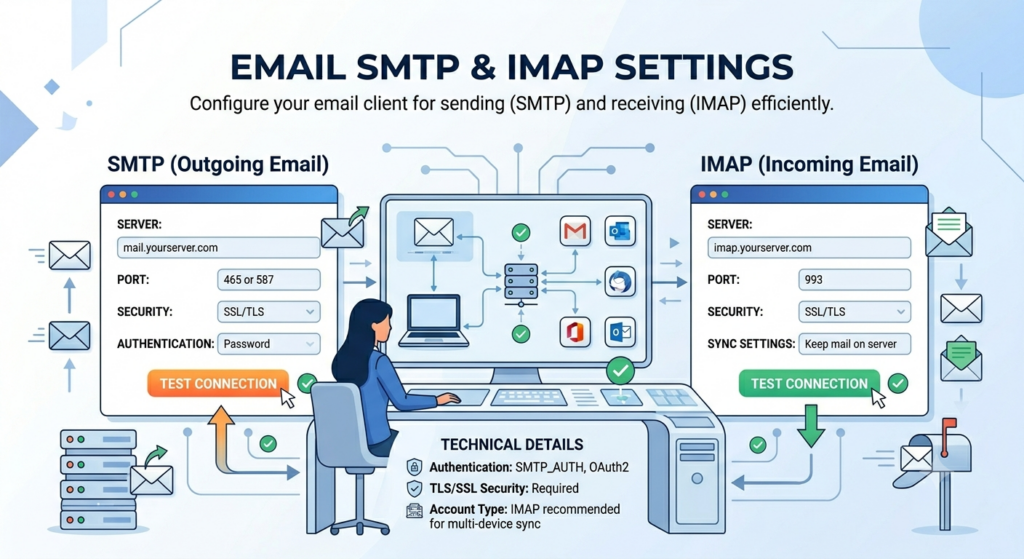
What is SMTP?
SMTP stands for Simple Mail Transfer Protocol. It is the protocol your email client uses to send outgoing mail to a server that forwards it to the recipient.
Every outgoing message goes through an SMTP server. The server address, the port, and the authentication method are what every SMTP setting is about.
What is IMAP?
IMAP stands for Internet Message Access Protocol. It is the protocol your email client uses to read messages from a server, keeping them in sync across every device you log in from.
The alternative is POP, which downloads messages and removes them from the server. IMAP is the modern default because it keeps your inbox identical on every device.
SMTP vs IMAP vs POP: what each one actually does
SMTP handles outgoing. IMAP and POP handle incoming.
Within incoming, IMAP keeps mail on the server and syncs across devices. POP downloads mail and treats your client as the authoritative copy, which is why it is mostly a legacy choice now.
Gmail SMTP and IMAP settings
Source: Google Workspace admin help
Gmail’s biggest setup change in 2026 affects Google Workspace accounts. Starting May 2025, Workspace accounts stopped accepting username and password connections from less secure apps, including Microsoft Outlook, iOS Mail, and macOS Mail.
If you are on a Workspace account, the supported flow is now “Sign in with Google,” which uses OAuth instead of direct SMTP credentials. For personal Gmail accounts, App Passwords still work if you have 2FA enabled, and you can generate one at google.com/account under Security, 2-Step Verification, App passwords.
Daily send limit: Workspace caps SMTP at 2,000 messages per day. Personal Gmail caps at roughly 500.
Outlook and Office 365 SMTP and IMAP settings
Microsoft’s official docs (updated August 2025) confirm personal Outlook.com and Office 365 work accounts now share the same IMAP and POP server. Only the SMTP server differs.
Source: Microsoft Support — POP, IMAP, and SMTP settings for Outlook.com
Two things to know before setup. First, POP and IMAP access is disabled by default on Outlook.com. You have to enable it under Settings, Mail, Forwarding and IMAP before any client will connect.
Second, Outlook.com and Office 365 both require Modern Auth (OAuth2). Basic password authentication was removed from Exchange Online in 2023, which means a username and password directly will fail unless you generate an App Password or your tenant administrator has re-enabled SMTP AUTH.
Yahoo Mail SMTP and IMAP settings
Source: Yahoo Help — IMAP server settings
Yahoo requires an App Password when 2FA is enabled, which is the default for new accounts. Generate one at the Yahoo Account Security page under “Manage app passwords.”
Three things cause most Yahoo connection issues: 2FA without an App Password, IMAP not enabled in account settings, and an incorrect port. Check those before anything else.
Zoho Mail SMTP and IMAP settings
Zoho’s settings split two ways. Account type (personal free vs paid custom domain) determines which server, and region (global vs EU data center) determines which top-level domain.
Source: Zoho Mail — IMAP and SMTP configuration
Three things to check before setup. The smtppro and imappro variants are for paid users with custom domain email, and using the free smtp.zoho.com on a paid account will fail authentication.
If your account was created on Zoho’s EU servers, the US server addresses will reject your credentials even when they are correct. You also need to enable IMAP access in the Zoho Mail web settings before any external client will connect.
iCloud Mail SMTP and IMAP settings
iCloud Mail does not support POP. If your email client requires POP, you cannot use it with iCloud Mail.
Apple uses “app-specific passwords” rather than the App Password naming most other providers use, but the concept is identical. Generate one at appleid.apple.com under Sign-In and Security. iCloud Mail will reject your normal Apple ID password through SMTP and IMAP regardless of whether 2FA is enabled.
The IMAP username is usually just the name portion of your address (johnappleseed, not johnappleseed@icloud.com). The SMTP username is the full email address. This catches a lot of people on first setup.
AT&T and AOL Mail SMTP and IMAP settings
AT&T and AOL both run on Yahoo’s email backend after a series of acquisitions. The server addresses still use the original brand domains, but the authentication flow is Yahoo’s.
These settings cover all AT&T-related email domains, including @att.net, @sbcglobal.net, @bellsouth.net, @ameritech.net, @pacbell.net, @prodigy.net, @snet.net, @swbell.net, @flash.net, @nvbell.net, @currently.com, and @wans.net. AT&T consolidated all of these after its acquisitions, and they all use the same servers.
You will need to generate a “secure mail key” from the AT&T account management page. It works the same way as an App Password and is required for any third-party email client.
AOL requires a standard App Password generated through the AOL Account Security settings, which means you need 2-Step Verification turned on first.
GMX SMTP and IMAP settings
GMX accepts your normal account password without requiring an App Password, which is one of the few setups in 2026 that still works that way. POP3 and IMAP are off by default and need to be enabled in your GMX account settings before any external client will connect.
One thing to know: GMX dropped support for TLS 1.0 and 1.1. If your email client is more than a few years old, you may hit a handshake failure that requires updating the client or enabling TLS 1.2.
Which SMTP setup actually works for cold email at volume?
Most SMTP guides stop at the point where your email client successfully sends a test message. That is enough for personal use.
It is not enough for cold email at volume, and the reason is worth understanding before you spend a week debugging why your sequences are landing in spam.
Standard provider SMTP, whether Gmail or Outlook or Yahoo, is built for human-pace sending. Around 200 emails a day from a single mailbox is the ceiling most providers tolerate before they start throttling, or in some cases suspending the account for terms-of-service violations on bulk sending.
Cold email at any meaningful volume runs into three specific problems that do not show up in setup guides.
Per-mailbox send limits
Gmail Workspace caps outbound at 2,000 messages per day. Microsoft 365 caps higher on paper but throttles aggressively long before that ceiling, often around 5,000 to 6,000 per day for newer tenants.
Personal Outlook.com caps at roughly 300 per day, and Yahoo caps at around 500. Cold email teams running 1,000 or more daily sends per rep hit these ceilings inside the first week.
Sender reputation pooling
When you send through smtp.gmail.com or smtp.office365.com, you share IP-level sender reputation with every other Gmail or Office 365 sender on the same infrastructure, including the spammers using it.
Your individual sending behavior is one signal in a much larger pool. You have less control over deliverability than you think, and the lever you do have is mostly the domain reputation rather than the IP.
Authentication overhead at scale
App Passwords work for one mailbox. Managing them across 50 sender mailboxes, with rotating credentials and periodic 2FA refresh cycles, becomes a job nobody on the team wants to own.
Google’s Workspace change in May 2025 made this worse. Less secure apps are no longer supported with password authentication on Workspace accounts, which means even App Passwords have a shorter shelf life as Google continues tightening OAuth requirements.
What the setup looks like at volume
Above roughly 100 to 200 cold emails per day per mailbox, the setup that actually works is dedicated SMTP infrastructure with isolated sending IPs. The mailboxes ship pre-warmed, the authentication is configured once and managed centrally, and the IPs are not pooled with the broader provider base.